

How to Use Heatmaps to Improve Website Conversion
Why Heatmaps Matter
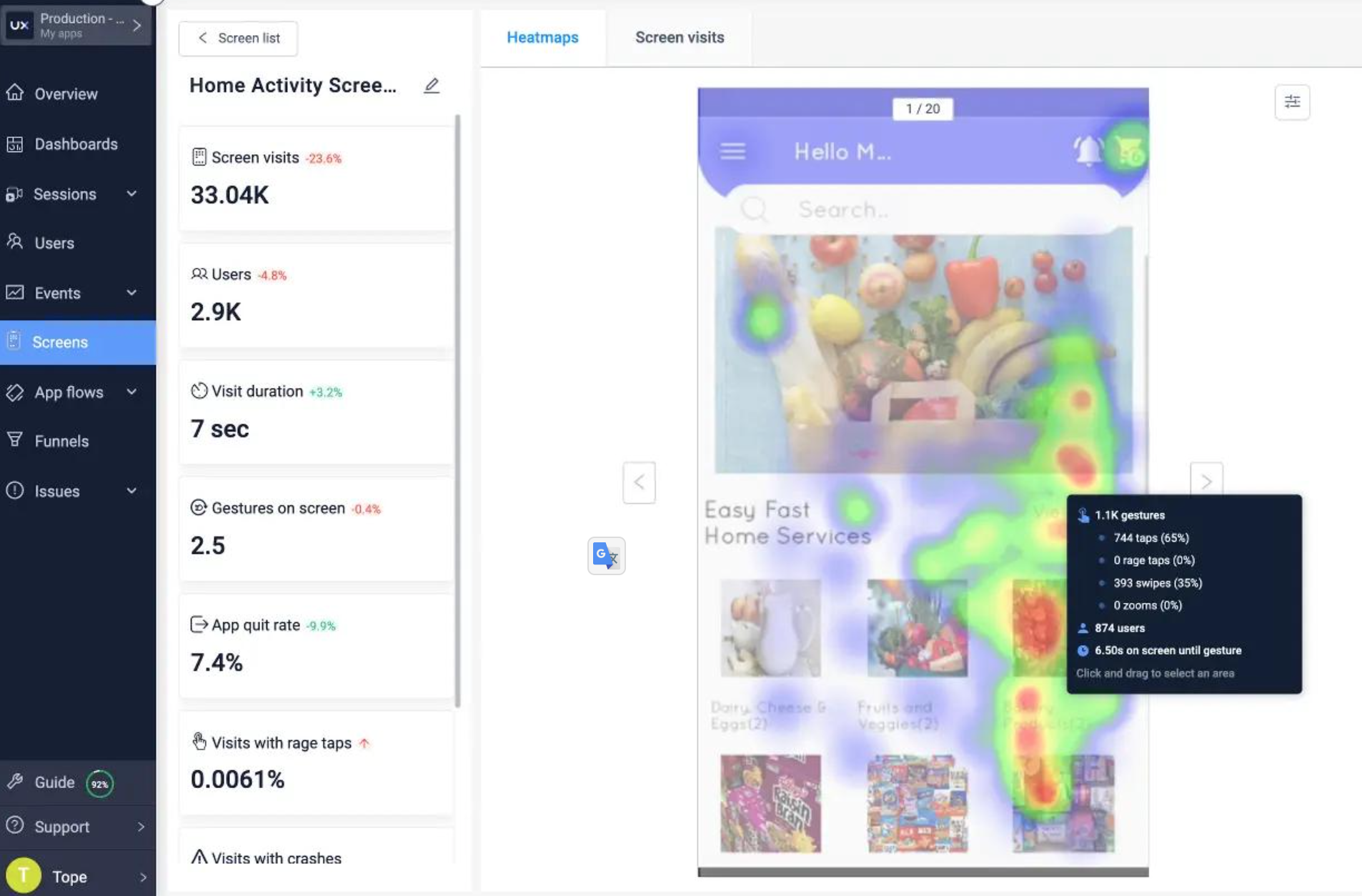
Understanding user behavior is essential for boosting conversion rates. Heatmaps offer a visual snapshot of where visitors click, scroll, and linger on a page. By turning raw data into colorful graphics, heatmaps reveal patterns that traditional analytics can’t show. This insight allows you to make informed decisions about design, content placement, and calls‑to‑action (CTA).
Key Types of Heatmaps
Click Maps
Shows every click on a page. Helps identify the most and least‑used elements, guiding placement of high‑value CTAs or removing clutter.
Scroll Maps
Illustrates how far users scroll down a page. Reveals whether your most important content sits above the fold or gets lost mid‑page.
Attention (Eye‑Tracking) Heatmaps
Based on eye‑tracking data, they highlight sections that capture visual attention first. Useful for repositioning key messages or images.
Step‑by‑Step Guide to Using Heatmaps
1. Choose the Right Tool
Select a platform that supports the types of heatmaps you need (e.g., Hotjar, Crazy Egg, or built‑in heatmaps in Google Optimize). Look for easy integration, real‑time data, and clear visual reports.
2. Implement the Tracking Code
Add the tracking snippet to your website’s header or via a tag manager. Verify that data collection is active and that the heatmap starts rendering correctly.
3. Define Pages for Analysis
Not every page needs a heatmap. Prioritize high‑traffic or conversion‑critical pages (landing pages, checkout flow, blog posts with CTA).
4. Collect Sufficient Data
Allow the heatmap to gather enough interactions — typically a few hundred sessions — to produce reliable patterns. Early data can be noisy.
5. Interpret the Visual Insights
- Hot spots (red/orange) indicate high activity. Ensure these areas align with your conversion goals.
- Cold spots (blue/gray) show neglected sections. Consider repositioning or redesigning them.
- Combine click and scroll data for a holistic view of user behavior.
6. Test and Iterate
Use A/B testing to validate changes suggested by the heatmap. Measure impact on conversion rates, then adjust iteratively.
Best Practices
- Optimize Above‑the‑Fold Elements: Placing a strong CTA in the top‑most section can dramatically increase conversions.
- Design for Thumb Interaction (mobile): With mobile‑first heatmaps, larger touch targets improve click‑through.
- Remove Distractions: If a heatmap shows cluttered clicks far from the CTA, simplify the layout.
- Segment Data: Analyze heatmaps by device, source, or user persona to uncover hidden trends.
- Combine With Other Analytics: Pair heatmap insights with bounce rates, time on page, and funnel metrics for a complete picture.
Common Mistakes to Avoid
- Skipping Data Volume: Relying on too few sessions leads to false conclusions. Wait for statistically significant data.
- Ignoring Mobile: Heatmap insights must be validated on mobile devices, as user behavior differs substantially.
- Treating Heatmaps as a One‑Size‑Fits‑All Solution: Use them alongside quantitative (funnel metrics) and qualitative (survey) data.
- Failing to Act: Collecting heatmaps without implementing changes squanders the valuable information they provide.
Conclusion
Leveraging heatmaps to improve website conversion transforms subjective design decisions into data‑driven actions. By systematically gathering, interpreting, and acting on heatmap insights, you can enhance user experience, reduce friction, and ultimately drive higher conversion rates. Start implementing heatmaps today and watch your site’s performance heat up in the right direction.