
How to Structure a Corporate Website for Maximum Leads
A corporate website is more than a digital brochure—it’s a lead‑generation engine. When the architecture, content, and user‑experience (UX) are aligned with conversion goals, visitors flow naturally toward contact forms, demos, or sales calls. Below is a step‑by‑step guide to building a website that captures and nurtures leads at every stage of the buyer’s journey.
1. Start With a Clear Information Hierarchy
Why it matters – Users scan pages in seconds. A logical hierarchy reduces friction and directs attention to high‑value actions.
- Primary navigation: Keep the top menu to 5–7 items. Typical headings: Home, Solutions, Industries, Resources, About, Contact.
- Secondary navigation: Use drop‑downs or sub‑menus for deeper pages (e.g., individual product pages).
- Breadcrumbs: Show “Home > Solutions > Product X” to help users orient themselves and improve SEO.
2. Craft a High‑Impact Home Page
The home page is the first conversion touchpoint.
| Element | Recommended Placement | Goal |
|---|---|---|
| Hero banner with a concise value proposition | Top of the fold | Capture interest instantly |
| Primary CTA (e.g., “Request a Demo”) | Beneath hero, contrasting button | Guide the visitor to the next step |
| Trust signals (client logos, awards) | Just below the hero | Build credibility |
| Short explainer video or animation | Mid‑page | Communicate complex solutions quickly |
| Footer with contact info, social links, and mini‑sitemap | Bottom | Offer additional navigation paths |
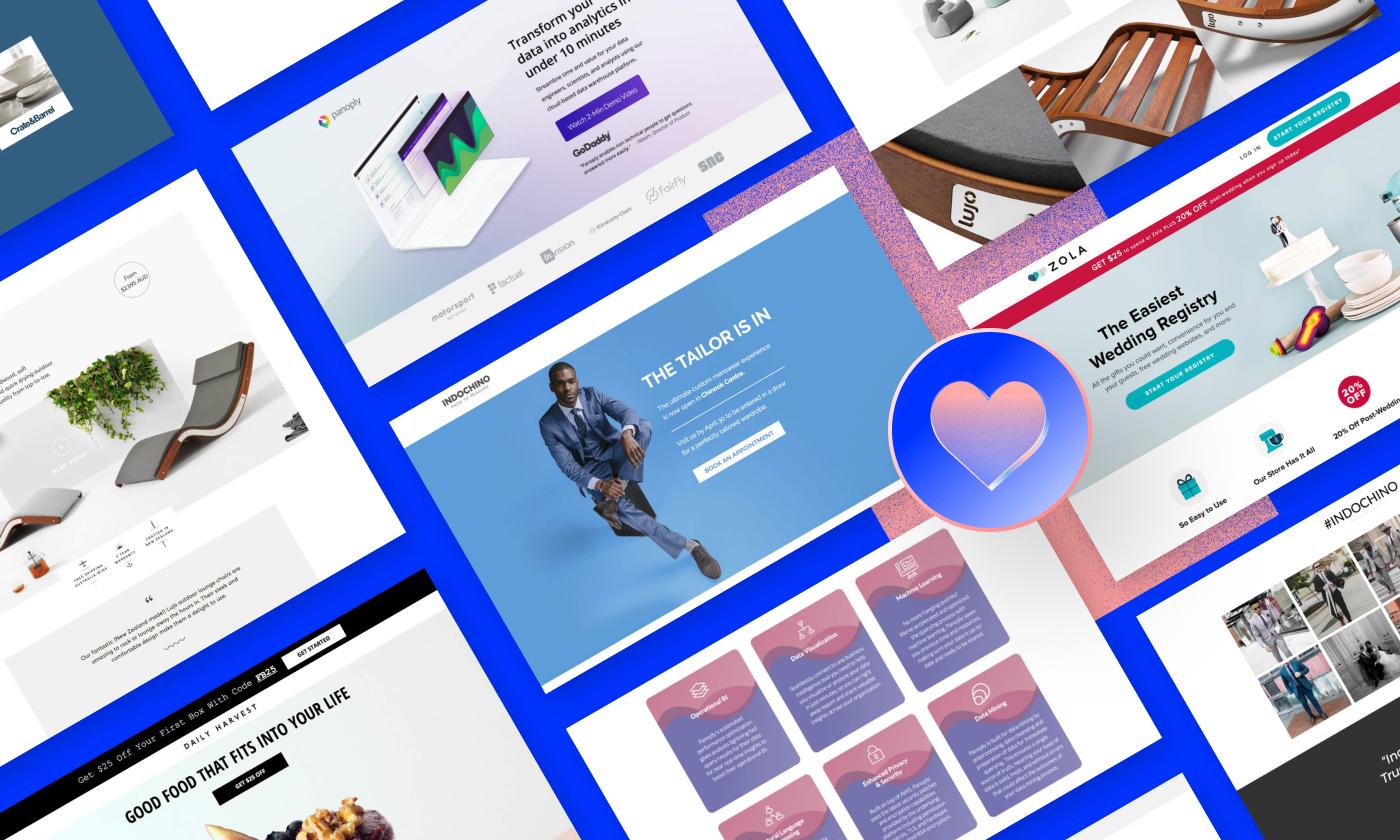
3. Design Dedicated Landing Pages for Each Offer
Instead of a single catch‑all page, create stand‑alone landing pages for:
- Product lines
- Industry solutions
- Whitepapers, eBooks, or case studies
- Webinars and events
Key components
- Headline that mirrors the ad copy or search intent
- Bullet‑point benefits — easy to scan and answer “What’s in it for me?”
- Social proof — customer quotes, ROI metrics, media mentions
- Lead capture form — ask only for essential data (name, email, company)
- Secondary CTA — “Download the summary” for those not ready to submit the form
4. Implement a Strategic Funnel Flow
Map every page to a stage in the buyer’s journey:
- Awareness – Blog posts, infographics, SEO‑optimized articles.
- Consideration – Comparison tables, case studies, webinars.
- Decision – Product demos, pricing worksheets, free‑trial sign‑ups.
Include contextual CTAs that move the visitor from one stage to the next. For example, a blog post can end with “Download our complete buyer’s guide” linking to a gated resource page.
5. Optimize for Mobile & Page Speed
Over 60% of B2B traffic originates on mobile devices.
- Responsive design – Ensure forms and CTAs are thumb‑friendly.
- Fast load times – Compress images, leverage browser caching, and use a CDN.
- AMP for critical landing pages – Guarantees instant loading on smartphones.
A slow or broken experience kills conversions before a lead is even captured.
6. Use Clear, Persuasive Calls‑to‑Action
- Button copy – Use action verbs (“Get Your Quote”, “Schedule a Call”) + a benefit (“Free Consultation”).
- Color contrast – Buttons should stand out from surrounding text.
- Placement – Every page needs at least one CTA above the fold and one at the bottom.
7. Leverage Trust Builders
Visitors need reassurance before sharing contact details.
- Client logos – Show recognizable brands you’ve helped.
- Industry certifications – ISO, SOC 2, GDPR compliance badges.
- Live chat or chatbot – Offer instant assistance; capture leads from chat transcripts.
- Privacy statement – Link to a short, transparent data‑usage policy near forms.
8. Integrate With a CRM and Marketing Automation
- Form submission → CRM – Immediate lead assignment to sales reps.
- UTM parameters – Track which campaigns drive the most qualified leads.
- Lead nurturing workflows – Automated email sequences based on the content downloaded or page visited.
When data flows seamlessly, the sales team can act on hot leads faster, increasing conversion rates.
9. Test, Analyze, Iterate
A website is a living asset.
| Metric | Tool | Frequency |
|---|---|---|
| Conversion rate per form | Google Analytics / Hotjar | Weekly |
| Bounce rate on landing pages | GA4 | Bi‑weekly |
| Average time to submit a form | CRM reports | Monthly |
| Heatmap clicks on CTA buttons | Hotjar | Monthly |
Run A/B tests on headlines, button colors, and form fields. Even small tweaks (e.g., reducing a form from 5 to 3 fields) can boost lead volume by 20%+.
10. Keep Content Fresh & SEO‑Friendly
- Regular blog updates – Target long‑tail keywords relevant to your industry.
- Meta titles & descriptions – Include clear call‑to‑action phrases.
- Structured data – Add FAQ and product schema to enhance SERP visibility.
Fresh, searchable content draws new visitors, feeding the top of the funnel continuously.
Quick Checklist
- [ ] ≤ 7 top‑level navigation items
- [ ] Hero section with primary CTA on every major page
- [ ] Dedicated landing page per core offering
- [ ] Mobile‑responsive, sub‑3‑second load time
- [ ] Trust signals placed strategically
- [ ] Form data pushes automatically to CRM
- [ ] Weekly conversion‑rate reporting
By structuring a corporate website around the principles above, you turn a static digital presence into an active lead‑generation machine. The key is to always think like a prospect: simplify navigation, highlight value, and make the next step unmistakably clear. When every element works toward a single goal—capturing qualified leads—your website becomes a powerful driver of revenue growth.